Technology
EximAgent vs Apollo vs TradeAtlas: Best for Exporters?
Jun 29, 2026
Technology
Streamline global trade with OpenClaw for export-import operations. A comprehensive guide to automation, compliance, and efficiency.
April 10, 2026By Davos Pham19 min readView as Markdown

So, you're looking to make your export-import business run smoother? It can be a real headache with all the paperwork and back-and-forth communication. That's where tools like OpenClaw come in. Think of it as a smart assistant that can handle a lot of the repetitive tasks for you, letting you focus on the bigger picture. We're going to break down how **openclaw for export import** can really change things up, from getting it set up to using its more advanced features.
So, what exactly is this OpenClaw thing everyone's talking about in the world of export-import? Think of it as a really smart, automated assistant that lives inside your chat apps. It's an open-source AI agent platform, meaning it's free to use and can be modified. OpenClaw connects AI models to your tools and messaging apps, letting it perform real-world tasks for you. It's not just about sending messages; it can manage emails, schedule appointments, work with files, and even control your web browser, all based on simple text commands you send it. It's like having a personal assistant who's always on and ready to go.
At its heart, OpenClaw is designed to be an autonomous AI agent. This means it can operate with minimal human intervention once set up. Its core functionality revolves around understanding your instructions given in natural language (like you'd chat with a friend) and then translating those instructions into actions. These actions can involve interacting with various software and services. It's built with a modular architecture, separating tasks like managing connections (the Gateway) from the actual thinking and decision-making (the Agent Runtime). This setup allows it to handle multiple conversations and tasks simultaneously. You can get started with the basic setup through an npm install -g openclaw@latest command, followed by an onboarding wizard.
When you look at other automation tools out there, OpenClaw has some distinct features. Unlike platforms that rely heavily on visual drag-and-drop interfaces, OpenClaw is primarily chat-driven. You talk to it, and it does things. This makes it feel more like a conversation than a programming task. Also, a big point is that OpenClaw runs locally on your machine. This is a major difference from many cloud-based services. While tools like n8n offer visual workflows and a large integration library, they often charge for cloud execution. Zapier is user-friendly but can get expensive quickly and doesn't support self-hosting. OpenClaw offers the power of local execution and privacy, combined with a chat-based interface, which is a pretty unique spot to be in.
Here's a quick look at how it stacks up:
Feature | n8n | Zapier | |
|---|---|---|---|
Interface | Chat-based | Visual Workflow Builder | Visual Workflow Builder |
Execution | Local (Self-hosted) | Cloud or Self-hosted | Cloud |
Pricing at Scale | Free (Open Source) | Paid (Cloud), Free (Self-hosted) | Paid (Subscription-based) |
Technical Skill | Moderate | Moderate to High | Low |
Data Privacy | High (Local execution) | Moderate to High | Lower (Cloud processing) |
For export-import operations, streamlining means making things faster, cheaper, and less prone to errors. OpenClaw can play a big role here. Imagine automating the process of checking customs regulations for different countries, or automatically generating shipping documents based on order details. It can also manage communications with suppliers and clients across different platforms like WhatsApp or WeChat, keeping everything in one place. This means less manual data entry, fewer mistakes, and more time for strategic planning. By connecting your existing tools and communication channels, OpenClaw acts as a central hub for automating many of the repetitive tasks that bog down global trade. You can even back up your OpenClaw data to prevent loss.
OpenClaw's ability to run locally and interact through chat makes it a powerful tool for businesses looking to automate complex workflows without relying on external cloud services. This local execution is particularly beneficial for handling sensitive trade data.
This platform is really changing how we think about automation in business, especially for tasks that involve a lot of back-and-forth communication and data handling, which is pretty much the definition of export-import.
Getting OpenClaw up and running for your export-import tasks is more straightforward than you might think. It's all about setting up the right connections and teaching it how to handle your specific needs. Think of it like setting up a new tool in your workshop – you need to install it correctly, connect it to your power source, and then show it what each tool does.
First things first, you need to get OpenClaw installed on your system. Since it runs locally, this means downloading the software and getting it configured. The good news is that there are often one-click installers or Docker images available, which really simplifies the process. You'll want to make sure your machine meets the minimum hardware requirements, especially if you plan on running local AI models. A decent internet connection is also a plus for downloading necessary components and updates. The core idea is to have a stable environment where OpenClaw can operate without interruption.
Here’s a basic rundown of what you'll likely do:
OpenClaw really shines when it's connected to your chat apps. For export-import, this means linking it to platforms where you and your partners communicate, like Slack, Telegram, or WhatsApp. This integration is how you'll interact with OpenClaw, giving it commands and receiving updates. Setting this up usually involves getting API keys or tokens from your chat service and entering them into OpenClaw's configuration. It’s like giving OpenClaw a direct line to your communication channels.
The ability to manage trade communications directly through familiar chat interfaces reduces the need to constantly switch between different software. This streamlines information flow and speeds up response times, which is pretty important in fast-paced global trade.
Skills are the building blocks of OpenClaw's automation capabilities. These are essentially pre-written scripts or modules that tell OpenClaw how to perform specific actions. For export-import, you'll want skills that can handle things like generating shipping labels, checking customs regulations, or even drafting basic invoices. The community around OpenClaw is quite active, and you can find many pre-built skills that you can adapt or use directly. You can also create your own custom skills if you have very specific needs. For instance, OpenClaw offers local PDF processing capabilities, allowing you to extract data from documents like bills of lading or commercial invoices [3307].
Here are some examples of skills relevant to trade:
Installing new skills is usually as simple as registering them with a command. This modular approach means you can gradually build up OpenClaw's capabilities as your needs evolve, making it a flexible partner for your export-import operations.
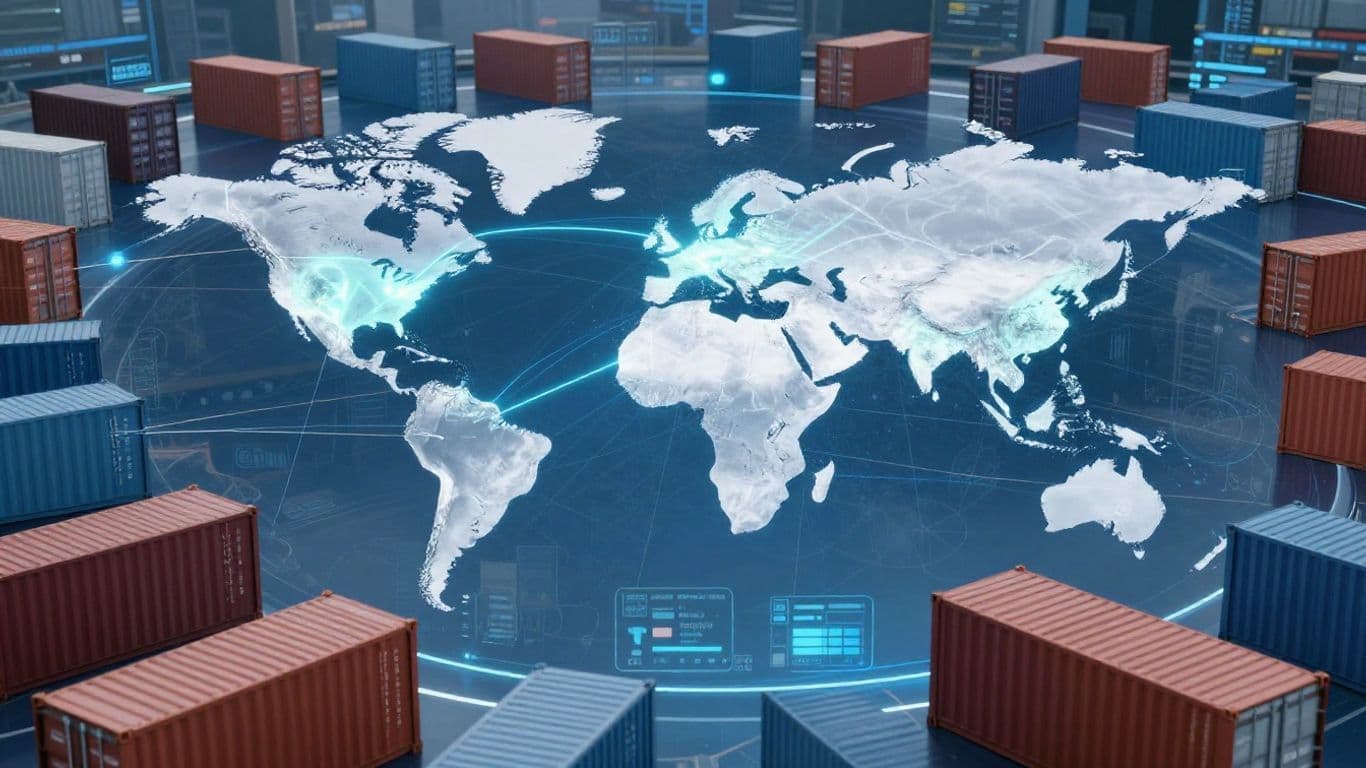
When you're dealing with international trade, paperwork can pile up fast. Think customs forms, bills of lading, certificates of origin – the list goes on. OpenClaw can really help here. It can be set up to automatically pull data from various sources, fill out these documents, and even do a first pass at checking them for errors or missing information. This means less manual data entry, which is always a good thing, and fewer mistakes that could hold up your shipments.
The system can be trained to recognize specific document types and extract key details like product codes, quantities, and destination addresses. This is a huge time-saver. For compliance, OpenClaw can cross-reference shipment details against regulatory lists or trade agreements. It's not a replacement for a human expert, but it can flag potential issues early on.
Here's a simplified look at how it might work:
Knowing what's happening in global markets is key to making smart trade decisions. OpenClaw can be configured to monitor various data feeds – think commodity prices, shipping rates, currency fluctuations, and even news related to specific trade routes or countries. It can then process this information and present it in a way that's easy to understand.
Imagine getting an alert if the price of a key raw material suddenly spikes, or if a new trade tariff is announced that affects your target market. This kind of proactive information can help you adjust your strategies on the fly, perhaps finding a new supplier or rerouting a shipment before it becomes a problem. The system can generate regular reports, too, giving you a snapshot of market trends without you having to manually gather all the data.
Keeping suppliers and clients in the loop is vital for smooth operations. OpenClaw can help manage these communications. For instance, it can automatically send out order confirmations, shipping notifications, or payment reminders. If a shipment is delayed, OpenClaw could even draft an initial notification to the client based on the updated tracking information.
It can also help organize incoming messages. By analyzing emails or messages from suppliers, it might categorize them by urgency or topic, helping you prioritize your responses. This isn't about replacing human interaction entirely, but about handling the routine, repetitive communication tasks so you can focus on the more complex negotiations and relationship building.
Automating routine communications and data checks frees up valuable human resources to focus on strategic decision-making and complex problem-solving in international trade.
When you're moving goods across borders, keeping things secure and following all the rules is a big deal. OpenClaw offers some neat features that help with this, especially because it can run right on your own computers.

One of the biggest pluses for using OpenClaw in trade operations is its ability to run locally. This means your sensitive data, like client lists, shipping details, and financial information, doesn't have to travel to some distant server. It stays put, on your hardware. This is a huge win for data privacy and can make it easier to comply with different countries' data protection laws. You're not relying on a third-party cloud provider to keep your information safe.
Cross-border deals come with their own set of risks, from payment fraud to compliance hiccups. OpenClaw can help automate checks and balances. For instance, you could set up an agent to automatically verify customs documentation against a checklist or flag transactions that don't meet certain criteria. This reduces the chance of human error, which is often where problems start. Automating these checks means fewer mistakes slip through the cracks.
Here's a quick look at how OpenClaw can help manage risks:
Even though OpenClaw can run locally, you still need to be smart about how you set it up. Think of it like locking your own house – you wouldn't leave the doors wide open.
Deploying OpenClaw on your own infrastructure gives you a lot of control, but with that control comes responsibility. You are the gatekeeper of your data and your system's security. Treat it with the care it deserves, especially when dealing with international trade where stakes are high and regulations are complex.
While OpenClaw doesn't come with built-in enterprise-level compliance certifications like SOC 2 or HIPAA out of the box, its local execution model provides a strong foundation for building a secure and compliant trade operation. You'll need to implement your own internal processes and potentially add specific tools for advanced auditing and access management, but the core privacy benefits are significant.
It's pretty wild how fast things move with open-source projects, and OpenClaw is definitely one of those. You're not just getting a tool; you're tapping into a whole network of people building cool stuff with it. Think of it like a giant toolbox, but instead of hammers and wrenches, it's packed with pre-built 'skills' and integrations that others have made.
This is where the real magic happens. The community has put together a ton of useful additions that extend what OpenClaw can do. You can find everything from simple web clients to complex integrations for specific business needs. For instance, there are projects like webclaw for a fast web interface or clawterm for command-line interaction. Some folks are even running OpenClaw on tiny devices like the ESP32-S3 chip with projects like MimiClaw, which is pretty mind-blowing.
Here's a quick look at some popular community projects:
Project Name | Description |
|---|---|
| Fast, minimal web client for OpenClaw |
| Official web interface |
| Terminal-based OpenClaw client |
| Run OpenClaw on Cloudflare Workers |
| One-click deployment tool for OpenClaw |
| Run OpenClaw on an ESP32-S3 chip without Linux |
The sheer variety of community contributions is a testament to OpenClaw's flexibility. You can find these and many more on platforms like GitHub, often with detailed documentation and active discussions. It's a great way to find solutions to specific export-import challenges without having to build everything from scratch. You can even integrate it with platforms like WhatsApp for seamless communication.
Feeling stuck or just want to learn more? You're in luck. The OpenClaw community is pretty active and supportive. There are official resources like the OpenClaw Documentation and the ClawHub skill registry, which is packed with over 700 community skills. Beyond that, you'll find tons of tutorials on sites like Medium, DEV.to, and DigitalOcean that cover everything from basic setup to advanced use cases.
The rapid evolution of OpenClaw is largely driven by its open-source nature. This collaborative environment means that new tools, integrations, and solutions are constantly being developed and shared, making the platform more powerful and adaptable over time. It's a cycle of innovation fueled by user needs and developer creativity.
Don't just be a consumer; be a creator! If you've built something cool or found a way to improve an existing skill, consider sharing it. Contributing back to the ecosystem benefits everyone. You can submit new skills to ClawHub, report bugs, suggest features on GitHub, or even help improve the documentation. There are also platforms like AgentFund for crowdfunding AI agent projects, which can help bring ambitious ideas to life. Sharing your work helps the entire community grow and makes OpenClaw even more powerful for global trade operations.
Things are moving fast in the world of AI, and OpenClaw is right there in the thick of it. It's not just about automating tasks anymore; it's about how these tools will change the game for global trade.
Right now, different AI platforms can feel a bit like separate islands. You might have one system for managing your shipping documents and another for tracking market prices. The big push is towards making these systems talk to each other. Standards are starting to pop up that will let tools from different developers work together. Think of it like having a universal adapter for all your gadgets. For OpenClaw, this means it could potentially connect with other specialized AI agents or platforms, creating a more connected workflow without you having to manually move data between them. This interoperability is key to breaking down silos and building more complex, automated trade processes.
We're seeing a shift from simple chatbots to more sophisticated autonomous agents. These aren't just responding to commands; they're proactively taking action based on goals you set. For export-import, this could mean an agent that monitors customs regulations for changes and automatically updates your compliance checklists. Or perhaps an agent that identifies a sudden drop in a key commodity price and alerts you to potential buying opportunities. The future is about AI agents acting as your digital trade assistant, working in the background to keep things running smoothly.
While OpenClaw started as a personal tool, there's a clear path to using it for bigger operations. The development of features like role-based access control (RBAC) and audit logging is a big step towards making it suitable for businesses. Imagine a scenario where different teams within a trading company use OpenClaw, each with specific permissions and oversight. This allows for controlled automation across departments, from sales inquiries to logistics. The ability to run OpenClaw in more robust environments, like Kubernetes, also points to its growing capacity for handling larger volumes of trade data and more complex workflows.
Here's a look at how OpenClaw is evolving:
The trend is clear: AI is moving from being a tool you actively use to a partner that works alongside you, anticipating needs and executing tasks autonomously. For global trade, this means faster processing, fewer errors, and potentially new ways of doing business.
So, we've walked through how OpenClaw can really change the game for import-export businesses. It’s not just another piece of software; it’s like having a smart assistant that understands what you need and can actually do it, all through simple chat messages. While it’s still evolving and might not have all the bells and whistles of some big commercial tools, its local execution and chat-based approach offer a unique blend of power and privacy. For businesses looking to streamline operations, reduce manual work, and maybe even cut down on costs, exploring OpenClaw seems like a smart move. It’s definitely worth keeping an eye on as it grows and more integrations become available. Give it a try and see how it fits into your workflow.
Think of OpenClaw as a super-smart helper that lives in your chat apps, like WhatsApp or Slack. It can understand what you type and then do tasks for you, like sending emails or organizing files. For import-export, it can help manage communications with partners, sort through documents, and even keep track of market changes, all by chatting with it.
OpenClaw is special because it talks to you through chat and runs on your own computer, which is great for keeping your information private. Zapier is super easy to use but can get pricey if you use it a lot. n8n is powerful like OpenClaw but has a different look and feel, and its cloud version costs money. OpenClaw offers a unique mix of power, privacy, and chat-based control.
Yes, it can! OpenClaw can be set up to help with things like checking if your documents are correct or making sure you're following all the rules. You can teach it to look for specific information in files or to remind you about important deadlines, making the paperwork less of a headache.
OpenClaw is designed with safety in mind. Because it runs on your own computer, your data doesn't have to go to a third-party server, which is a big plus for privacy. Still, it's important to set it up carefully and follow good security practices, like not sharing your login details and keeping the software updated, to protect your business information.
There's a big online community of people using OpenClaw! You can find pre-made tools and instructions shared by others that you can use or adapt. If you get stuck, you can ask for help on forums like Discord or GitHub. It's a great way to learn and find new ways to make OpenClaw work for you.
The world of technology and AI is always changing, and OpenClaw is built to adapt. As new AI ideas and ways for different systems to work together come out, OpenClaw is likely to keep up. Its open-source nature means the community can help it evolve, so it should be able to handle new challenges in global trade as they appear.
Enter your email to receive the latest trade insights, guides, and HS-code explainers from EximAgent Blog.